
VS Code extension
Workspace Colors
v0.9.4 · CC BY-NC-SA 4.0
Tell your VS Code projects apart at a glance. Give each workspace its own title bar, editor background and pane-header colours, with dark and light palettes.
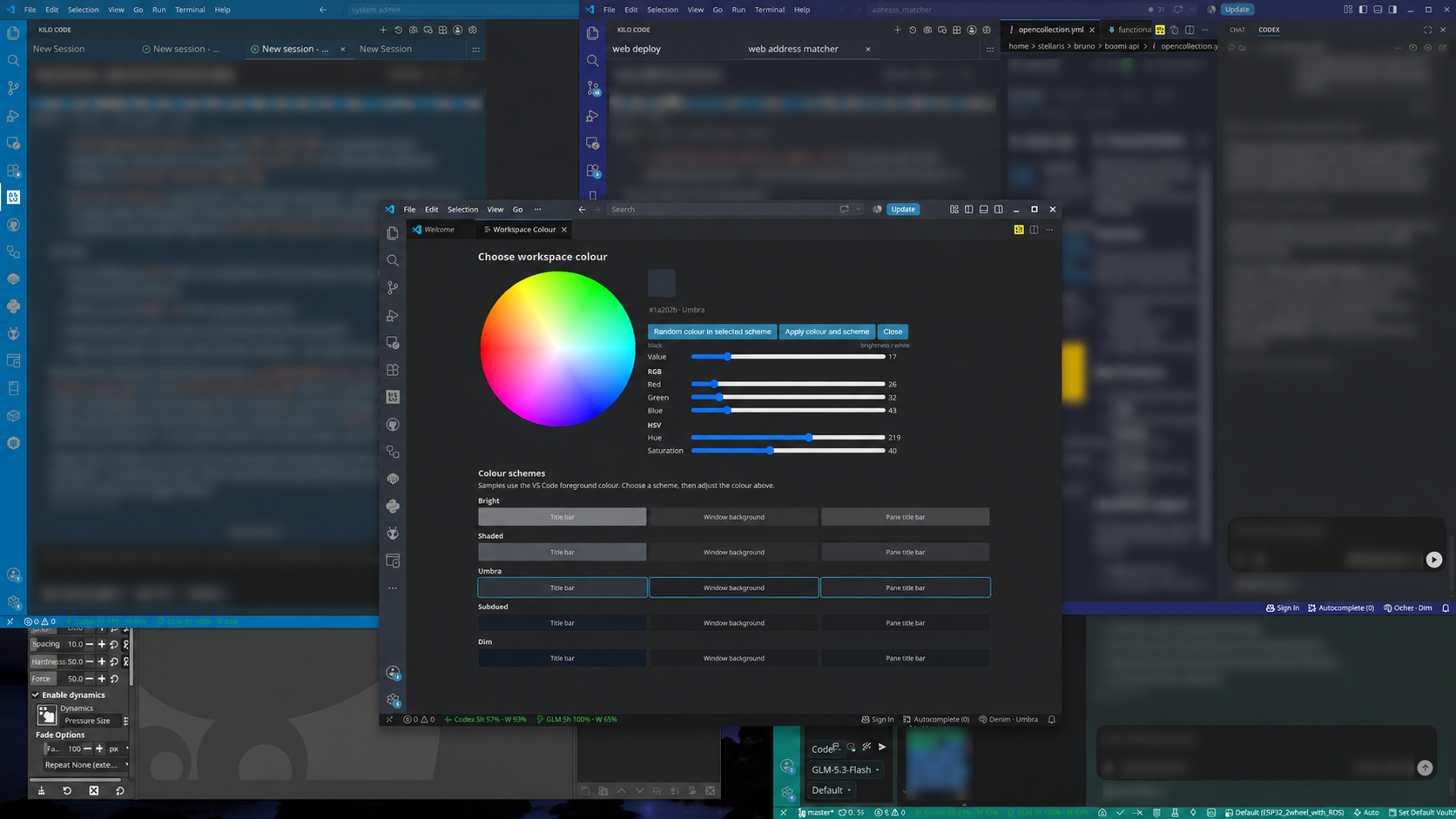
- Colour wheel and RGB/HSV sliders, with five schemes: Bright, Shaded, Umbra, Subdued and Dim.
- Three preview swatches help you check text readability before applying.
- Workspace colour choices are saved locally; pinned sidebar rows use an opaque background.
- No account, API key, telemetry or runtime network connection required.
Requirements and notes
VS Code 1.85+. Open a folder or workspace for independent colours. Empty windows use shared global settings. Back up existing colour customisations first: this extension overwrites managed colour keys, and Clear removes them rather than restoring old values. Random colours can repeat.
Source and user guide on GitHub ↗
Install
Download the VSIX, then in VS Code open Extensions → … → Install from VSIX… and select it. Or run this from the folder containing the download:
code --install-extension vscode-workspace-colors-0.9.4.vsix
Run Developer: Reload Window, then Workspace Colors: Open Colour Wheel. If the native title bar does not change, set window.titleBarStyle to custom.
Changelog
- 0.9.4 - Public source, CC BY-NC-SA 4.0 licensing and hardened release packaging/credential boundaries.
- 0.9.3 - Fix custom Subdued foreground and light-mode Dim ordering; keep HSV state while editing values; recover saved workspace palettes; persist Clear across reloads.
- 0.9.2 - Apply keeps the picker open; a separate Close button dismisses it.
- 0.9.0 - Scheme-state fixes; the window-background preview uses the actual editor background; scheme and top swatch stay in sync while editing.
- 0.8.0 - Brightness/value editing preserves hue and saturation; top swatch updates live; corrected preview proportions; migration for the renamed Subdued scheme.
- 0.7.0 - Renamed Super subdued to Dim; previews ordered brightest to most subdued; separate title bar, window background and pane title bar previews.
- 0.6.0 - Brightness/value, RGB and HSV controls; in-document intensity selection and random colours; three readability swatches per scheme.
- 0.5.0 - Webview HSV colour wheel replaces the named-colour quick pick; per-workspace colours adapt to dark/light themes and intensity.
- 0.4.0 - Five intensity levels (Bright, Shaded, Umbra, Subdued, Super subdued); new workspaces get a random unused colour.
- 0.3.0 - Empty windows fall back to a global colour instead of failing activation.
- 0.2.0 - Subdued automatic colours; separate muted palettes for dark and light themes; colour reapplied when the theme changes.
- 0.1.0 - Initial MVP: automatic stable colours plus choose, cycle and clear commands.